
Howdy---
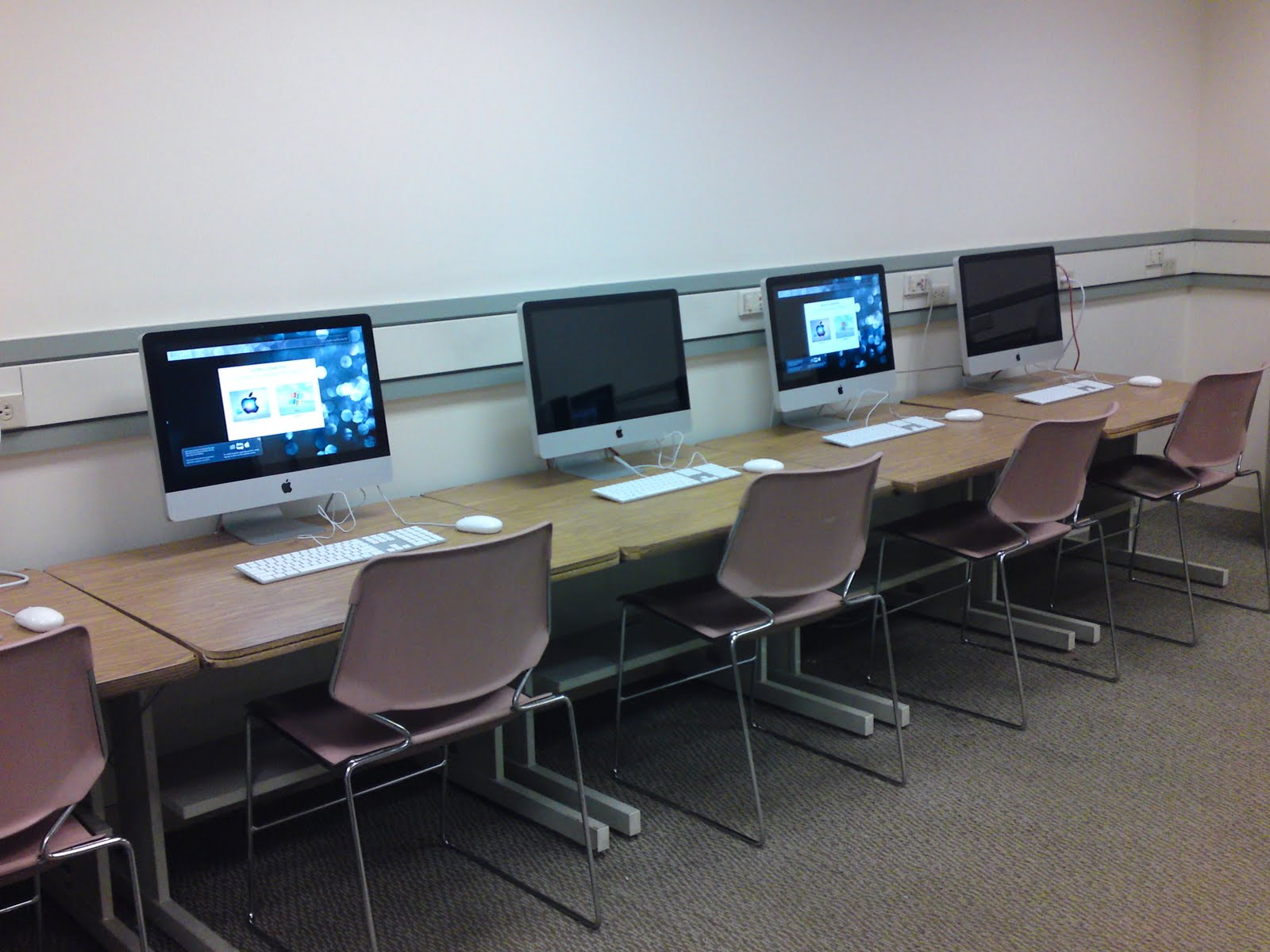
Per the request of Lesley Staff, I am updating Microsoft SilverLight in the Computer Lab on the 3rd Floor of University Hall -- UNIV-3-084 between 12:00pm and 4:0pm on Friday, December 2, 2011..
During this time, the room will be off-limits. :(
Current version: Silverlight 4 (4.0.60831.0)
Showing posts with label updates. Show all posts
Showing posts with label updates. Show all posts
Friday, December 2, 2011

Thursday, April 21, 2011
Labs & Classrooms Q2 Update!

Howdy, folks--
Hope you all are doing well.
The semester is coming to an end... Seems to pass by so fast!
We here in the Labs & Classrooms division have been working hard to put things together for the upcoming season change.
A couple of things you might find different for the upcoming weeks:
- WITHIN THE NEXT MONTH
- We are adding a new Color Laser printer in the Doble InfoCommons
Our printing records indicate that the INFO COMMONS received the highest volume of printing in the last year (~90,000 pages/1900 jobs). To help balance the load, we are putting an HP Laserjet cp3525x printer which will allow students to print 300dpi on 8.5x11" color prints
- We have added 4 new boom-microphone stands to the equipment check-out list.
- WITHIN THE NEXT 3 MONTHS
- We are moving one of the HP Laserjet P4015's out of the MollyeLichter 24-hour computer lab and putting it into University Hall Training Room (3rd Floor Lab--- UNIV-3-084)
There are currently two Black and White printers in the 24-hour lab and only one in the training room. Normally, this wouldn't be a big deal, but Statistically speaking---
the Mollye Lichter 24-hour lab's combined printing for the last year is approximately- - 30,000 pages/7000 jobs. The Reading Room (~160,000 pages/31000 jobs) and UHALL Training Room (~120,000 pages/22000 jobs) represent a significantly larger print load which can be divided a little more evenly.
- We are building a new image set for the labs & classrooms computers which will include a Dual-Boot Schematic featuring MacOSX 10.6.x and Windows7 Professional NEW!.
The list of proposed software will include: - MS Office 2007/2008
- MS Office 2010/2011 --NEW!
- ArcGIS 9.3 (windows only)
- Kurzweil 3000 (windows only)
- Inspiration 8; InspireData
- Open Source Graphics Package which includes: GIMP Graphics Editor, InkScape Vector Graphics, Blender 3D, Kompozer NEW!
- Cloud Storage Packages: Dropbox, Flickr Uploader, Picasa NEW!
- Google Packages: Earth 3D, Sketchup
- Multimedia: Real Player, QuickTime, iTunes, VLC Media Player, Audacity, Windows Media Player
- Web Plugins: Flash 10.x, Silverlight
- Internet Apps: Digsby, Pidgin, Skype, FileZilla
- Web Browsers: Firefox 4.0 NEW!, Internet Explorer 9 NEW!, Safari 5
Our goal was to merely.... KEEP IT SIMPLE-- SLIM, SEXY, EFFICIENT.
- We are also updating PaperCut PrintCharging to 11.x soon. This will give us a whole range of new interface tweaks and usage upgrades. Your charge accounts will still exist as they do, but the WebUI will have more features and a fresh look!
- WITHIN THE NEXT 6 MONTHS
- We may be looking to acquire additional components for check-out... including, but not limited to: document cameras, microphones/microphone stands.
Thanks everyone for keeping up with the happenings in the labs & classrooms.
For more information on our operations, please visit our website:
and please feel free to send us a message: labs@lesley.edu
Take care!
--- Richard Phung
Labs & Classrooms Coordinator
Lesley University
Wednesday, March 16, 2011
News and Comment...
Howdy, folks--
It's been a while since we've posted anything, but I just wanted to let you know about a few things that are going on around our department.
First of all, we recently replaced the Kiosk in the Student Center.
The machine that was there was having some serious problems, so we swapped it out with one of our fresh computer images like those in the labs.
Secondly, we have been working to update the ut website (http://lesley.edu/ut/academic)...
It's been a while since we've posted anything, but I just wanted to let you know about a few things that are going on around our department.
First of all, we recently replaced the Kiosk in the Student Center.
The machine that was there was having some serious problems, so we swapped it out with one of our fresh computer images like those in the labs.
Secondly, we have been working to update the ut website (http://lesley.edu/ut/academic)...
Monday, January 31, 2011
SPRING 2011
 Welcome back everyone! Over the break, several of the desktops in the labs have been cleaned up and upgraded to include more of the applications you may need. Wolfard 203 and 204, Doble 413 and 415 are now equipped with the SP2011 image which includes Adobe Creative Suite 3 Design Premium.
Users are now able to utilize Bridge, Photoshop, Flash, Dreamweaver, InDesign, Illustrator, and Acrobat Pro in any of these rooms.
If you want to see something in the next image, let us know and we'll see what we can do.
Enjoy your semester,
Sean E. Parrott-Wolfe
Senior Technician, University Technology
Lesley University
Tuesday, January 18, 2011
the Pre-SPRING Stretch!

Needless to say, things have been rather hectic around here... We have been diligently getting things ready for the Spring Semester by flipping spaces and testing hardware. A few residencies and conferences this break have made things a little tricky.. keeping us on our toes and most of our equipment in the field.
Some of the areas that you will notice that are different:
- the Laptop Cart... Wolfard 203, Wolfard 204, Doble-309, Doble-413, Doble-415 computer systems are re-flipped... they have been re-imaged with updated software.
*we couldn't get to all of the kiosks or the UNIV labs, but we will work on them as the year progresses*
- there are installed LCD Display screens in the dance studios at University Hall (UNIV-4-009 and UNIV-4-010)... as well as a ceiling-mounted LCD projector in UNIV-4-004
- the research & training laptop cart in the Sherrill Library will be getting a fresh image soon.
**** WE WILL KEEP EVERYONE POSTED AS DEVELOPMENT OCCURS****
Things are set to be pretty stable and consistently working.... buuut if they aren't, just send an email to ut@lesley.edu
We will get to them ASAP.
Thanks for being patient with us as we make these renovations.
Thursday, October 7, 2010
Mid-Terms...
Howdy, folks..
I didn't want you to think that I never update this blog.
I do, it's just very interesting when things get busy.
To let you know what's been going on:
At any rate...
what else?
That's about it for maintenance stuff..
I didn't want you to think that I never update this blog.
I do, it's just very interesting when things get busy.
To let you know what's been going on:
- There have been lots of outages lately. I don't know if you have noticed. The Science Lab (UNIV-2-142) is burning a hole in my resources. The UPX-2 (Crestron A/V controller), an essential component to the operation of that space, has gone out... The UPX-2 is essentially a computer capable of switching and mediating the signal to and from the various components such as the DVD/VHS player, the Document Camera, and the Laptop inputs all over the room. Well, obvi, with it not working, those components don't function properly. To make matters worse, Crestron doesn't make a comparable product anymore, so we're going to try and find another solution to replicate the same functionality. Talk about time and money!
- Other areas have been soaking up our limited resources... A/V support and setup tickets have flooded our inbox. Teachers requiring assistance setting up their classroom technology, etc. I have been offering trainings, but no one has showed up... :( it's unfortunate, but it would help to have some peoples at least be mindful of how to operate the equipment. It's just a matter of increasing peoples' confidence when using those kinds of tools, and a side effect of all of it would be less reports of "broken" things when 90% of the time it's just unplugged or turned off.
I know, right?
At any rate...
what else?
That's about it for maintenance stuff..
Thursday, September 16, 2010
Starting off on the right foot.
Well, the school year is underway.
We here in the Labs & Classrooms office have been SLAMMED with orientation and training requests... not to mention the all-to-convenient catastrophic system failure claiming at least one of our classrooms... YEESSH!
It has been rather stressful, and we are trying our best to seek out all of our faculty to provide the support they need. So if you're a faculty member, thank you for your patience!
Some changes you can expect:
1) We just installed two (2) new kiosks on the 3rd floor opposite the Student Accounts/Registrar/Financial aid window(s)
2) A slimmed-down equipment reservation form.
3) New visual quick start guides & posters.
A few things that we are asking the community to assist with in keeping everything up and running...
We here in the Labs & Classrooms office have been SLAMMED with orientation and training requests... not to mention the all-to-convenient catastrophic system failure claiming at least one of our classrooms... YEESSH!
It has been rather stressful, and we are trying our best to seek out all of our faculty to provide the support they need. So if you're a faculty member, thank you for your patience!
Some changes you can expect:
1) We just installed two (2) new kiosks on the 3rd floor opposite the Student Accounts/Registrar/Financial aid window(s)
2) A slimmed-down equipment reservation form.
3) New visual quick start guides & posters.
A few things that we are asking the community to assist with in keeping everything up and running...
- Please respect the technology in the classrooms.. we understand that things don't always work as expected, so the very least that you can do while things are working is to make sure that they are put back in their right place. The A/V systems are amazingly simple, but things being out of place due to previous users modifying the set-up creates a world of problems for everyone.
- If there is something suspicious about the way technology works in an area... leave a comment for us... send an email to ut@lesley.edu to report an outage or problem.. but if it's a minor quirk, post it to our facebook page, twitter page, or leave a comment here.. Which leads me to...
- Follow us! If you want the latest news and updates about technologies in different areas, leave us messages... we will get back to you ASAP.
Anyway... that's my morning rant.
Thursday, September 2, 2010
Revving up for the Fall...
GOSH, it's been a busy past couple of weeks.
To give you an update of some of the things to expect:
To give you an update of some of the things to expect:
- New classroom documentation
We have placed new "black-box" how-to posters within the rooms (attached to the cabinet doors). These signs should provide a quick-glance guide on what to expect from the blackbox components and how to report problems.
- A Laptop-Connection troubleshoot guide
These flyers provide a quick reference for troubleshooting malfunctioning projection. *e.g. did you check this?
- A new wifi-poster

We are working on creating lesley branded wifi posters that will inform users of public wifi hotspots around campus.
- A new Faculty Survival Guide (2010-2011)
This 7-page document gives a quick guide on the campus resources available to teachers. These guides will be handed out during Faculty Development Day (Sept 8), and is available for download here: Faculty Survival Guide

Wednesday, September 1, 2010
Sherrill MacBooks... and some issues.
We have discovered an interesting quirk about a certain line of 13" MacBook Pro models.
 Known issue:
After installing Apple MultiTouch support in Windows XPSP3, we discovered that these machines started behaving erratically... their boot times jumped from a one-minute load-time to anywhere from 5-10 minutes.
We investigated the issue and explored a number of options, but for the time being, we have disabled Multi-Touch Support in Windows XP.... :(
I know, I know...
this means no two-touch scrolling, no right-clicking, no gestures, and no pinch-and-zoom under Windows XP. Luckily, the library has provided a number of two-button scroll mice for Windows users.
Needless to say, MacOSX still has multi-touch support.
We are working diligently to find a solution and are in contact with other providers that use these particular hardware types.
Expect an upgrade/fix for the Spring 2011

After installing Apple MultiTouch support in Windows XPSP3, we discovered that these machines started behaving erratically... their boot times jumped from a one-minute load-time to anywhere from 5-10 minutes.
We investigated the issue and explored a number of options, but for the time being, we have disabled Multi-Touch Support in Windows XP.... :(
I know, I know...
this means no two-touch scrolling, no right-clicking, no gestures, and no pinch-and-zoom under Windows XP. Luckily, the library has provided a number of two-button scroll mice for Windows users.
Needless to say, MacOSX still has multi-touch support.
We are working diligently to find a solution and are in contact with other providers that use these particular hardware types.
Expect an upgrade/fix for the Spring 2011
Wednesday, August 18, 2010
Working on Sherrill Library Macs for checkout.

Updating the sherrill library MacBookPros.
It's kind of a secret that they have a small laptop cart, because it's only used for training purposes.
So far, we have run these updates:
Office 2007/2008 Updates
Flash Player 10
Adobe Reader Update
WinXPSP3 Security Updates
Norton AntiVirus Definitions
OH, and yes, we added a spiffy new Fall 2010 wall paper to match the rest of campus :)
More info to come!
Thursday, July 15, 2010


Thursday, June 3, 2010
Mollye Lichter Block 24-hour Lab Closed for Maintenance (Jun 3-4)

The Mollye Lichter Block 24-hour Computer Lab is closed for maintenance today (June 3, 2010) and tomorrow (June 4, 2010) for re-imaging.... this will include software updates, enhanced everything... and more reliable configurations.
Will post updates as they come.
Tuesday, June 1, 2010
AutoUpdate Removal(s):
Doble Image
MacOSX---
Disabled Auto-Update for the following Products:
Adobe Reader 9.3.2
Adobe Flash Player 10
CyberDuck 3.2.1 (4923)
OK'd through initial set-up of iTunes 9.1.1
NOTICE:
If you see any areas where Auto-Update is still enabled on ANY product, please report it immediately to ut@lesley.edu (ATTN: labs & classrooms)
Thanks
--Richard
MacOSX---
Disabled Auto-Update for the following Products:
Adobe Reader 9.3.2
Adobe Flash Player 10
CyberDuck 3.2.1 (4923)
OK'd through initial set-up of iTunes 9.1.1
NOTICE:
If you see any areas where Auto-Update is still enabled on ANY product, please report it immediately to ut@lesley.edu (ATTN: labs & classrooms)
Thanks
--Richard
June - Week #1
Today, I am working on updating the software on the Doble computer images.
This "Master" will be applied to all classrooms & lab spaces in the Doble building (DOBL-309, DOBL-413, DOBL-415, DOBL-INFOCOMMONS, and the 24-hour Mollye Lichter Block Computer lab.
And will be ready for FALL 2010
For today:
MacOS---
+OpenXML File Format Converter 1.1.4
+FireFox 3.6.3
+CoolIris 1.11.6
+Safari 4.0.5
+Adobe CS3 Update(s) -- Various programs affected*
+Microsoft 2008 Update 12.2.4
+Bluetooth Firmware Update
+Adobe Updater
+Apple Software Update
Ran ONYX cleaner---
Verified Startup Volume - Check
Fixed Disk Permissions - Check
Cleaned Caches - Check
=================
Windows XPSP3---
+FireFox 3.6.3
+Uninstall +ReInstall BootCamp 3.0
+Symantec Endpoint Protection
+Windows Update (Various Security Updates & Fixes)
+Installed FlashPlayer 10+configured
+Picasa 3.6
+Sketchup 7.1
This "Master" will be applied to all classrooms & lab spaces in the Doble building (DOBL-309, DOBL-413, DOBL-415, DOBL-INFOCOMMONS, and the 24-hour Mollye Lichter Block Computer lab.
And will be ready for FALL 2010
For today:
MacOS---
+OpenXML File Format Converter 1.1.4
+FireFox 3.6.3
+CoolIris 1.11.6
+Safari 4.0.5
+Adobe CS3 Update(s) -- Various programs affected*
+Microsoft 2008 Update 12.2.4
+Bluetooth Firmware Update
+Adobe Updater
+Apple Software Update
Ran ONYX cleaner---
Verified Startup Volume - Check
Fixed Disk Permissions - Check
Cleaned Caches - Check
=================
Windows XPSP3---
+FireFox 3.6.3
+Uninstall +ReInstall BootCamp 3.0
+Symantec Endpoint Protection
+Windows Update (Various Security Updates & Fixes)
+Installed FlashPlayer 10+configured
+Picasa 3.6
+Sketchup 7.1
Monday, May 31, 2010
Known Issues--- Doble InfoCommons
So here in the Labs & Classrooms Office, we are looking to improve the conditions of the computer labs here on Lesley campuses.
We are hoping to address each and every one of these issues, so please let us know if there are any more we need to keep on our radar. *ALSO, we will be posting updates via this blog or twitter as soon as those issues are resolved:
Area --> Operating System --> Software Involved --> Issue:
We are hoping to address each and every one of these issues, so please let us know if there are any more we need to keep on our radar. *ALSO, we will be posting updates via this blog or twitter as soon as those issues are resolved:
Area --> Operating System --> Software Involved --> Issue:
- Doble InfoCommons
Windows XP SP3
Epson Scan Utility
Epson Scan Utility won't start (or scanners are not installed)
- Doble InfoCommons
Windows XP SP3
Sound won't play through headphones (or sound bleeds through mute)
Monday, January 11, 2010
Preparation for Spring 2010 (Imported)
Howdy, folks---
We are well under-way in restoring our fresh image across campus; In addition, we are cleaning and reorganizing the learning spaces.
So far, areas that are completed are:
Wolfard 203; Wolfard 204
Please be on the look-out for our new blue desktops!

AND, feel free to report any non-functioning workstations to UT by contacting:
617.349.8770
ut@lesley.edu
Thanks!
We are well under-way in restoring our fresh image across campus; In addition, we are cleaning and reorganizing the learning spaces.
So far, areas that are completed are:
Wolfard 203; Wolfard 204
Please be on the look-out for our new blue desktops!

AND, feel free to report any non-functioning workstations to UT by contacting:
617.349.8770
ut@lesley.edu
Thanks!
Wednesday, June 17, 2009
New Computer Lab Images
 Warning: The content on this post was written while Richard Phung, the Labs & Classrooms Coordinator, held the title of Computer Lab Technician at the Art Institute of Boston at Lesley University.... the content expressed here is out of date, at best.

That's right, folks.. we are reformatting the computers in the computer labs at AIB. This is a fresh start for the Fall 2009. This is a painstaking process that begins with a completely fresh installation of MacOS (or other OS), and a piece-by-piece installation of the software for the academic curriculum(s) that use these facilities... In addition, we install supplemental programs (tools, codecs, apps, etc) to aid in general productivity.

Inevitably, there will be troubles with the selection of software...
IF you are a FACULTY, STAFF, or STUDENT that will be using the digital studios in the Fall 2009 and would like to request SPECIAL SOFTWARE, please do not hesitate to come by the office and talk about it. *** THE DEADLINE FOR SUBMITTING SOFTWARE REQUESTS WILL BE THE WEEK OF AUGUST 10, 2009... at this time, the labs will be prepped for school to start.
PLEASE do not wait if you have special classroom needs!
Our contact information:
Phone: 617.585.6663
Location: 700 Beacon St, 300M
Subscribe to:
Posts (Atom)