Showing posts with label image updates. Show all posts

Wednesday, June 1, 2011

SUMMER MAINTENANCE! -- Part 1


Well, folks... we are well underway with our 
Summer 2011 Maintenance!

In a previous post, we keyed you-in on some big changes that were happening, the biggest was catered around the pay-for-print system and its upgrades.  On 05/23, we began the server upgrade process which basically involved 10-steps from upgrading the existing server, installing a new server, then migrating all printer and user data across the different machines.... to upgrading and re-installing printers and servers to all of the schools across Lesley.  We finished Sherrill on the evening of 05/23 and AIB Library/AIB Computer Labs on 05/24--- then Kresge Media Center on 05/25.---  As of 05/26, we had begun the redeployment of all of the Cambridge Computer Labs starting with University Hall Reading Room (UNIV-3-069), Training Room (UNIV-3-084), and Doble Building Room#- 413 & 415.
As of yesterday, Tuesday, May 31, we had started another roll-out for the Mollye Lichter 24-hour Computer Lab, the Doble Information Commons, and the Doble Building Room# 309.
Later today and tomorrow (06/01 & 06/02), we will be rolling-out Wolfard 203 and Wolfard 204 which will complete the summer computer image deployment.

So what to expect?
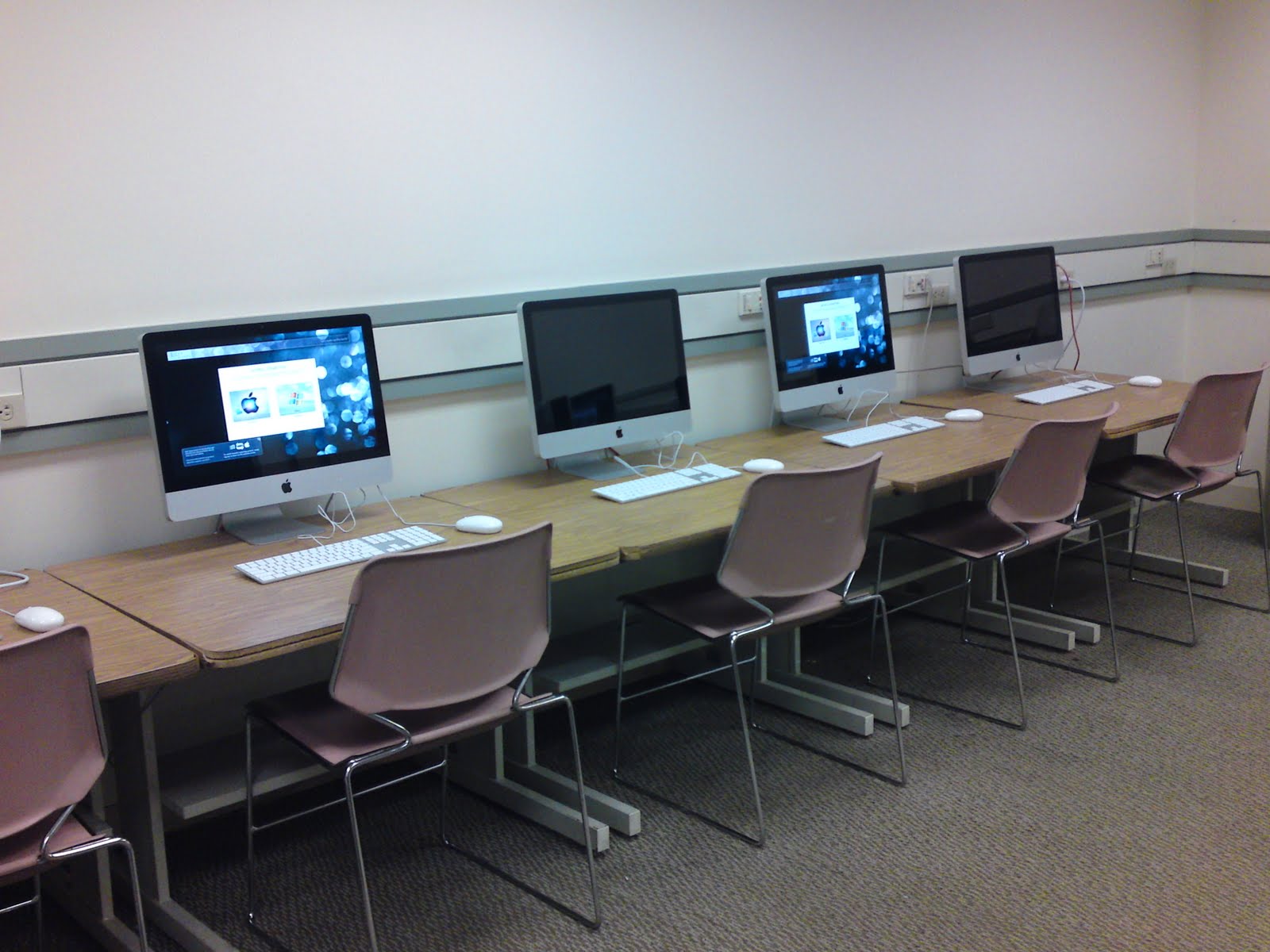
Well, the latest computer images include a Dual-Boot OS set-up which allows users to choose between MacOSX 10.6.x and Windows 7 Professional SP1.


I know what you're thinking...
"but we are already used to having a dual-boot computer lab"
... as this is true, we were able to provide a few quality of life changes in the form of software upgrades.

Software Changes

Our basic software set includes (Mac/Win):
  • Firefox 4.x
  • DropBox
  • Skype
  • VLC Media Player
  • RealPlayer
  • Google Earth
  • Microsoft Office 2007/2008
  • Microsoft Office 2010/2011
  • Adobe Creative Suite 3
    • Acrobat Professional
    • Bridge
    • Dreamweaver
    • Flash
    • Illustrator
    • InDesign
    • Photoshop
  • Adobe Reader X
  • OpenSource Multimedia Software
    • Audacity
    • Blender
    • Gimp
    • InkScape
    • Kompozer
    • Processing
  • Filezilla
  • Flickr Uploadr
  • iLife
    • GarageBand
    • iWeb
    • iPhoto
  • Inspiration
  • InspireData
  • Google Sketchup
  • +*We've also added a few entertainment packages for you.
That's it.... very slim and trim.

The boot-times for Windows 7 are under a minute and shut-down times are just as efficient ~15-20 seconds.  *I know, this was a MAJOR problem we had in our last image set.
Overall, everything is clean and efficient... no added weight and a genuinely clean experience.


PaperCut & Lesley Printing
Papercut (Lesley Pay-for-Print) is extremely fast and efficient now.
We have upgraded to the latest client (11.2) which comes with improvements for page-counts, a cleaner interface, and faster printing.  Faster printing can also be attributed to our enhanced servers which are located in various locations (Doble Campus, Sherrill Campus, and AIB-Library)---

As far as the WebUI, we have kept it as close to stock as possible, but added some features like relevant links to help articles, LesleyCard, and secure password change.  We fixed cross-browser compatibility issues *which i know that must have been bothering a LOT of you.


...and???

Overall, it is our most sincere wish that everyone have a digital classroom/public computer terminal that is fast, friendly, and efficient.  Please know that we in the Labs & Classrooms Division of University Technology work hard to make things work well for you... with Students and Teachers in mind.  
Please feel free to let us know what you think!  And if there are ANY improvements, modifications, or suggestions otherwise you would like to offer, please feel free to contact us via facebook.

Stay tuned for more updates as the Summer Maintenance continues!

Thursday, April 21, 2011

Labs & Classrooms Q2 Update!


Howdy, folks--

Hope you all are doing well.
The semester is coming to an end... Seems to pass by so fast!
We here in the Labs & Classrooms division have been working hard to put things together for the upcoming season change.

A couple of things you might find different for the upcoming weeks:


  • WITHIN THE NEXT MONTH
    • We are adding a new Color Laser printer in the Doble InfoCommons
      Our printing records indicate that the INFO COMMONS received the highest volume of printing in the last year (~90,000 pages/1900 jobs).  To help balance the load, we are putting an HP Laserjet cp3525x printer which will allow students to print 300dpi on 8.5x11" color prints
    • We have added 4 new boom-microphone stands to the equipment check-out list.
  • WITHIN THE NEXT 3 MONTHS
    • We are moving one of the HP Laserjet P4015's out of the MollyeLichter 24-hour computer lab and putting it into University Hall Training Room (3rd Floor Lab--- UNIV-3-084)
      There are currently two Black and White printers in the 24-hour lab and only one in the training room.  Normally, this wouldn't be a big deal, but Statistically speaking---
      the Mollye Lichter 24-hour lab's combined printing for the last year is approximately- - 30,000 pages/7000 jobs.   The Reading Room (~160,000 pages/31000 jobs) and UHALL Training Room (~120,000 pages/22000 jobs) represent a significantly larger print load which can be divided a little more evenly.
    • We are building a new image set for the labs & classrooms computers which will include a Dual-Boot Schematic featuring MacOSX 10.6.x and Windows7 Professional NEW!.
      The list of proposed software will include:
      • MS Office 2007/2008
      • MS Office 2010/2011 --NEW!
      • ArcGIS 9.3 (windows only)
      • Kurzweil 3000 (windows only)
      • Inspiration 8;  InspireData
      • Open Source Graphics Package which includes:  GIMP Graphics Editor, InkScape Vector Graphics, Blender 3D, Kompozer  NEW!
      • Cloud Storage Packages:  Dropbox, Flickr Uploader, Picasa  NEW!
      • Google Packages:  Earth 3D, Sketchup
      • Multimedia:  Real Player, QuickTime, iTunes, VLC Media Player, Audacity, Windows Media Player
      • Web Plugins:  Flash 10.x, Silverlight
      • Internet Apps:  Digsby, Pidgin, Skype, FileZilla
      • Web Browsers:  Firefox 4.0 NEW!, Internet Explorer 9 NEW!, Safari 5

        Our goal was to merely.... KEEP IT SIMPLE-- SLIM, SEXY, EFFICIENT.
    • We are also updating PaperCut PrintCharging to 11.x soon.  This will give us a whole range of new interface tweaks and usage upgrades.  Your charge accounts will still exist as they do, but the WebUI will have more features and a fresh look!
  • WITHIN THE NEXT 6 MONTHS
    • We may be looking to acquire additional components for check-out... including, but not limited to:  document cameras, microphones/microphone stands.
Thanks everyone for keeping up with the happenings in the labs & classrooms.
For more information on our operations, please visit our website:

and please feel free to send us a message:  labs@lesley.edu

Take care!

--- Richard Phung
Labs & Classrooms Coordinator
Lesley University

Thursday, July 15, 2010

Wednesday, July 29, 2009

Image Processes:

Warning: The content on this post was written while Richard Phung, the Labs & Classrooms Coordinator, held the title of Computer Lab Technician at the Art Institute of Boston at Lesley University.... the content expressed here is out of date, at best.


Created images: (07/27-29/09)
Master Image
Media
Digital Printing
Mobile (G4)
Mobile (Intel)

Cloned:

Macbook 14
Macbook 06
Macbook 13

Powerbook 10
Powerbook 09

Room 316 *hopefully

Monday, July 27, 2009

Major Image Backup

Warning: The content on this post was written while Richard Phung, the Labs & Classrooms Coordinator, held the title of Computer Lab Technician at the Art Institute of Boston at Lesley University.... the content expressed here is out of date, at best.


Updating:
Digital Printing Image
Backing up + Updating - Universal Image (Spring 2009)
Backing up + Updating - Mobile Image - Universal (Spring 2009)

Tuesday, July 21, 2009

Configured Local User

Warning: The content on this post was written while Richard Phung, the Labs & Classrooms Coordinator, held the title of Computer Lab Technician at the Art Institute of Boston at Lesley University.... the content expressed here is out of date, at best.


on the video-animation studio image:
configured local user & macadministrator
*NO deep freeze, yet.

still in beta test
redirected Temporary Storage, post-install, & automatic update disabled
software update.

Configured Local User

Warning: The content on this post was written while Richard Phung, the Labs & Classrooms Coordinator, held the title of Computer Lab Technician at the Art Institute of Boston at Lesley University.... the content expressed here is out of date, at best.


on the video-animation studio image:
configured local user & macadministrator
*NO deep freeze, yet.

still in beta test
redirected Temporary Storage, post-install, & automatic update disabled
software update.

Monday, July 20, 2009

ChangeLog for Master Image (071709)

Warning: The content on this post was written while Richard Phung, the Labs & Classrooms Coordinator, held the title of Computer Lab Technician at the Art Institute of Boston at Lesley University.... the content expressed here is out of date, at best.


Opened all applications on Local User after Install:
iDVD - check
Bridge CS3 - removed unnecessary Favorites
FireFox
--- added xmarks
-------- configured xmarks
--- set as default browser
--- added cooliris

Word - check
Final Cut Express - check
VLC - disabled automatic update
Sketchup - check
Painter - disabled automatic update
itunes
--- registered
--- removed sidebar
--- removed media guide
--- disabled automatic update

Acrobat - installed safari plugin
Photoshop CS3 - check
Illustrator CS3 - check
After Effects CS3 - skipped registration

Toast 9 - disabled automatic updates
Poser 7 - skipped registration - check

Processing - check
iMovie - check

System - cleared recent
-- cleared caches
-- cleared receipts
-- added printers

Friday, July 17, 2009

Shifting Images around...

Warning: The content on this post was written while Richard Phung, the Labs & Classrooms Coordinator, held the title of Computer Lab Technician at the Art Institute of Boston at Lesley University.... the content expressed here is out of date, at best.


Media & Presentations image:
Restored onto Laptop#13
(media-presentations.dmg) from 04/13/09
*set to reconfigure

--Repackaging Master:
(Media_09.07.17_15.43.dmg)

------

Configuring LocalUser on Master Image
(MasterImage-061609.dmg)
*macadminlocalhome on Laptop#14
--- Ran Software (configured/registered)
--- Ran Software Update
+Final Cut Express
+ iLife
+iTunes
+ Safari

-- RePackaging master
(Master_Image_09.07.17_15.38.dmg)

est. time is about 3 hours.
i'm going home.

Image Updates: Digital Printing

Warning: The content on this post was written while Richard Phung, the Labs & Classrooms Coordinator, held the title of Computer Lab Technician at the Art Institute of Boston at Lesley University.... the content expressed here is out of date, at best.


Software Update:
iLife
Quicktime
iTunes
MacOSX

---Reconfigured LocalUser

--Recasted Image

Tuesday, July 14, 2009

Digital Printing Updates

Warning: The content on this post was written while Richard Phung, the Labs & Classrooms Coordinator, held the title of Computer Lab Technician at the Art Institute of Boston at Lesley University.... the content expressed here is out of date, at best.


Fixed file associations with *.psd
Updated Adobe DNG converter to 5.4.x

Wednesday, July 1, 2009

Updates: July 1, 2009

Warning: The content on this post was written while Richard Phung, the Labs & Classrooms Coordinator, held the title of Computer Lab Technician at the Art Institute of Boston at Lesley University.... the content expressed here is out of date, at best.


VideoMaster - Software Update...
--- ProApplications
--- iLife
--- FrontRow
--- Safari (4.0.1)
--- Java Update

Tuesday, June 23, 2009

Moving Images around...

Warning: The content on this post was written while Richard Phung, the Labs & Classrooms Coordinator, held the title of Computer Lab Technician at the Art Institute of Boston at Lesley University.... the content expressed here is out of date, at best.


the 062309 version of VideoMaster has been backed-up with local admin account ONLY.. i will need to be customized as soon as we determine how to handle logins/user accounts.

In the meantime, I installed Maya2009 which is ONLY supported under Intel Architectures... So I am restoring the VideoMaster image onto a macbook for a beta-test of features and authentication to the flexlm server.

ALSO, starting to work on the AnimationDownshootMaster image....

VideoMaster - (Maya 2009 INSTALL)

Warning: The content on this post was written while Richard Phung, the Labs & Classrooms Coordinator, held the title of Computer Lab Technician at the Art Institute of Boston at Lesley University.... the content expressed here is out of date, at best.


Installing Maya 2009....
Procedure:
1) Back-up VideoMaster Image
2) Create DeployStudio Multicast

Monday, June 22, 2009

Media+Presentations - Update (Software Update)

Warning: The content on this post was written while Richard Phung, the Labs & Classrooms Coordinator, held the title of Computer Lab Technician at the Art Institute of Boston at Lesley University.... the content expressed here is out of date, at best.


Renamed image (from 041109 --> 062209)
Ran software update (OSX)
Ran adobe updater
Ran Microsoft Updater
Google Product Updater


Installed Flip4Mac
Configured Perian

Friday, June 19, 2009

ISSUES WITH POSER 7

Warning: The content on this post was written while Richard Phung, the Labs & Classrooms Coordinator, held the title of Computer Lab Technician at the Art Institute of Boston at Lesley University.... the content expressed here is out of date, at best.


Symptoms:
Upon launching Poser 7, it quits unexpectedly.

Installation notice:

It seems as if Poser 7 is giving us a lot of troubles with its permissions.
Poser 7 folder requires full read/write permissions for the end user.
Also the \Library\Frameworks\Python.framework full read permissions are required.

This issue has been fixed.

Beta Test for Master Image

Warning: The content on this post was written while Richard Phung, the Labs & Classrooms Coordinator, held the title of Computer Lab Technician at the Art Institute of Boston at Lesley University.... the content expressed here is out of date, at best.


Things to do after installing new image:

Create local user account
User name: AIB Users
No password. Make it so that the computer auto logs in AIB Users.

Restart the computer and it will automatically log in as AIB Users

Change desktop background to the one that says "Save all files to temp storage etc." Background is located in the users>shared folder.

Change name of hard drive to "AIB HD"

Remove all links from the sidebar in Finder, all except "AIB HD".

Configure Applications. Open them to see if they work, insert serials when necessary. If a program asks if you want automatic updates, check/click no/never.

Customize dock. Applications that should be in the dock are:

Photoshop, Illustrator, InDesign, Bridge, Painter, Toast Titanium, Word. On the dock there should also be a folder with internet apps and the Wacom Tablet Preference panel (this can be found AIB HD>Library>PreferencePanes).

Disable auto updates for Flip4Mac and Perian. To do this go to System Preferences. Icons for them will be at the bottom of the window under "Other."

Click on the Flip4Mac icon. Go to the "Update" tab. Next to "check for updates" click the drop down and select "Never".

Likewise, in System Preferences click on the "Perian" icon. Next to the "check for updates" button uncheck "Automatically Update".

-William

VideoMaster - Update (Customization)

Warning: The content on this post was written while Richard Phung, the Labs & Classrooms Coordinator, held the title of Computer Lab Technician at the Art Institute of Boston at Lesley University.... the content expressed here is out of date, at best.


-- Installed Cooliris for Firefox

-- Installed Microsoft Office 2004

--Ran Software Updates:
--- Adobe
--- Microsoft
--- VLC

-- Installed Other Animation Tools (e.g. Audacity, Frame Thief, Toon Boom)

++++ Changed Icons
----------

Changed Scratch Disk(s): (Temporary Storage)
Photoshop CS3
FinalCut Studio Pkgs.
ToonBoom

VideoMaster - BETA1-061909 COMPLETE

Warning: The content on this post was written while Richard Phung, the Labs & Classrooms Coordinator, held the title of Computer Lab Technician at the Art Institute of Boston at Lesley University.... the content expressed here is out of date, at best.


The VideoMaster image is in Beta-test mode...
(VideoMaster-BETA1-061909.dmg)

so far, there is only the local admin user account, and testing with generic user accounts is underway.... there is still a long road ahead as the general access user account will undergo rigorous end-user play-testing and configuration, so bear with me!

-- Cleared Recent Items
-- Cleared Recent Locations
-------

The MasterImage is also in Beta-test mode...
we are currently play-testing the features for this installation as well.

Exciting times in Academic Computing!

VideoMaster - Updates (Software Installs)

Warning: The content on this post was written while Richard Phung, the Labs & Classrooms Coordinator, held the title of Computer Lab Technician at the Art Institute of Boston at Lesley University.... the content expressed here is out of date, at best.


-- Installed ToonBoom v3
-- Installed Blender3D (PPC+Intel) ***ugh. 2 versions?
-- Installed Maya2008
---------> configured aw_client.dat file
---------> restarted maya license server
---------> changed Autodesk icon

-- Installed Frame Thief
-- Updated Audacity
-- Installed Toast 9
-- Installed Sketchup
-- Installed Corel Painter 11